Screens
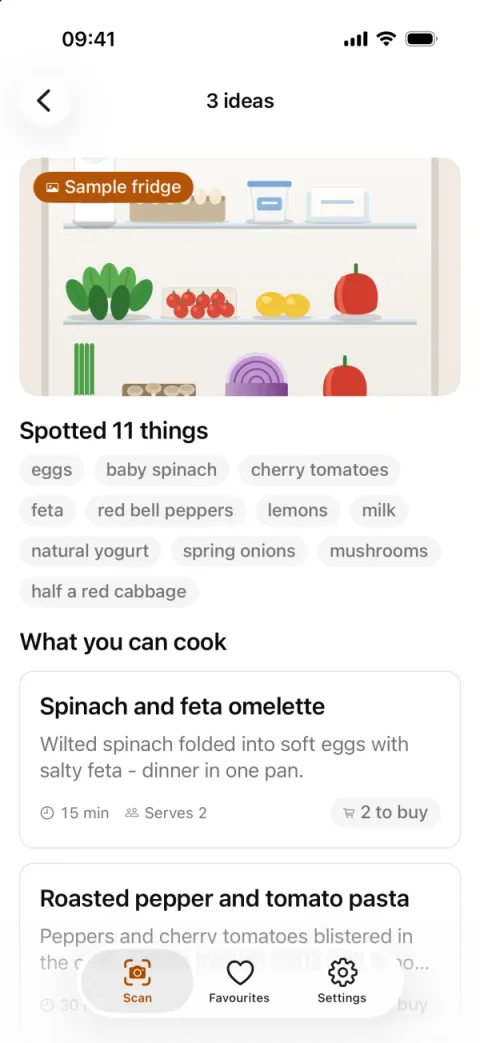
Recipe ideas 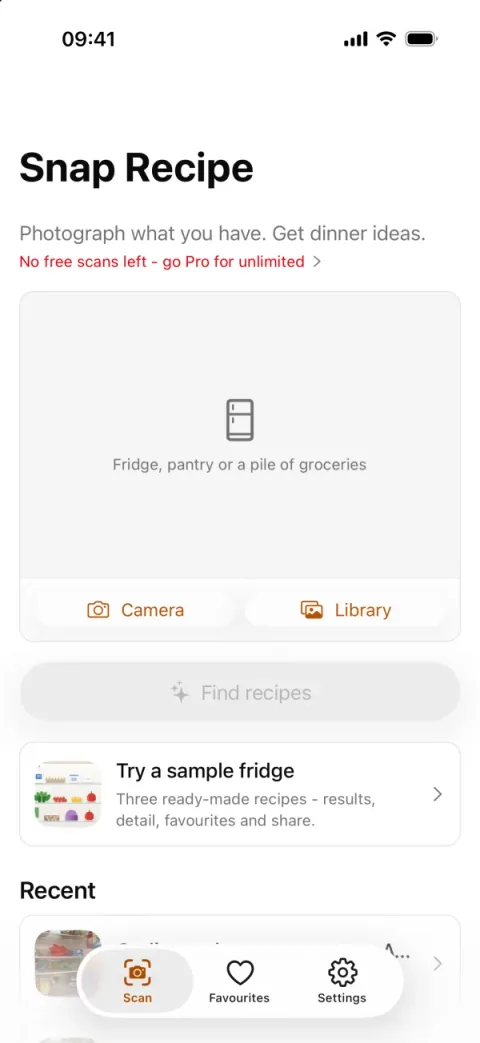
Scan and paywall 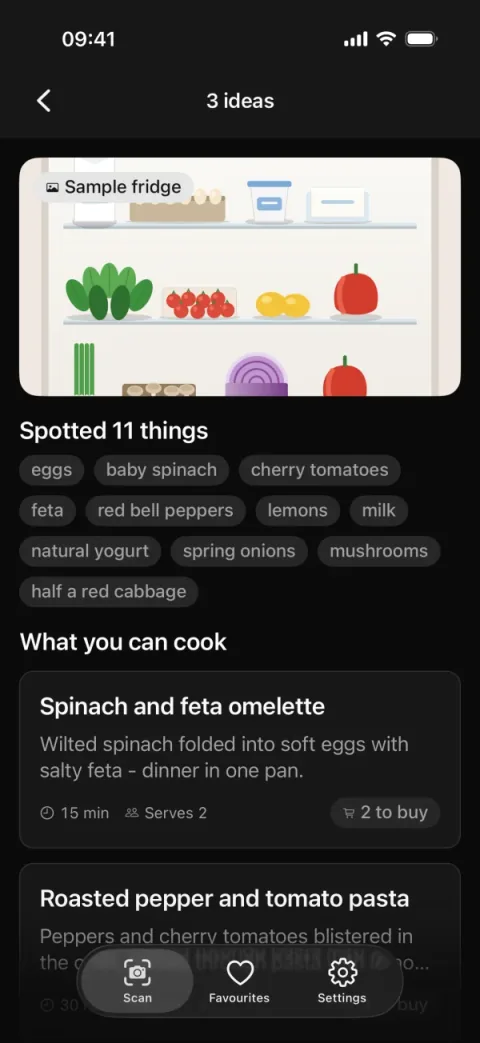
Recipe ideas, dark
What it is
A photo runs through MobileCLIP-S0 on the phone, zero-shot: the photo and a grid of crops are scored against the catalog's ingredients. An ingredient counts when its best probability reaches 0.15 (MIN_CONFIDENCE in src/lib/scan.ts).
Without the generated model, an iOS build falls back to Apple's built-in Vision classifier: on the device only, over a fixed vocabulary of about 1,300 labels.
Scans, favourites and the free counter persist with zustand (src/stores/scans.ts). Pro is one pro entitlement fed by two rails, App Store and Play through RevenueCat and Stripe Checkout (src/lib/payments.ts).
Flows included
- Onboarding: three slides ("Welcome to …", "Real recipes, your ingredients", "Keep the good ones"), then Get started to the Scan tab.
- Fresh install with no keys: the scan screen shows "3 free scans left" and explains what is missing before any photo.
- Try a sample fridge: a bundled photo with three recipes ("3 ideas"). Each recipe has its detail, a favourite and share as text. Sample scans never count against the free scans.
- Photo scan on an iPhone dev build: take or pick a fridge photo, downscale it on the device, then match the labels to ingredients and recipes. The recipes mark which ingredients you already have.
- Favourites and recent scans, kept on the device. "No favourites yet" until you save one.
- Scan limit: after the free scans, RevenueCat's native paywall opens as a modal, or the bundled /paywall screen if none is designed. /paywall lists the plans, with "Compare all plans" and "Or pay by card".
- Card checkout through Stripe on a hosted page. The Stripe routes require sign-in.
- Sign in with Clerk: an email code, Continue with Apple, Continue with Google, or create an account.
- Settings: Dark, Light or System appearance, Manage on the Pro row, Restore purchases, Export my data as JSON without credentials, and Delete account.
- Consent: "Accept all" or "Only necessary" decides when PostHog and Sentry may start.
Built on
- Clerk
- RevenueCat
- Stripe Checkout
- API routes
- PostHog
- Sentry
- Consent sheet
- NativeWind 5
- TanStack Query
- Zustand
- React Hook Form
- i18next
- Jest + Testing Library
Also in the app, with no /stack/ page: MobileCLIP, a local Swift module in modules/food-vision (iOS only), expo-image-manipulator for the downscale, and Maestro flows for end-to-end tests.
What works without keys
- Onboarding, the tabs, settings, theme, sharing, the sample fridge with its results, detail and favourites, and the free counter, which is kept on the device.
- Sign-in and the paywall explain what to add, on the screen where it is needed.
- A photo scan needs no key, but it needs an iOS dev build with the model (
bun run gen:clip). Android, web and Expo Go do not scan photos.
Keys and credentials
| Env names | What it unlocks |
|---|---|
EXPO_PUBLIC_REVENUECAT_IOS_KEY, EXPO_PUBLIC_REVENUECAT_ANDROID_KEY | Store purchases through App Store and Play. These are public SDK keys. |
STRIPE_SECRET_KEY, STRIPE_PRICE_ID (server only) | Card checkout. These never take the EXPO_PUBLIC_ prefix. |
EXPO_PUBLIC_CLERK_PUBLISHABLE_KEY, CLERK_SECRET_KEY (server only) | Sign-in. Without the secret key, the Stripe routes answer 503. |
EXPO_PUBLIC_API_URL | Where the device reaches the API routes. Empty falls back to the Metro dev server. |
EXPO_PUBLIC_POSTHOG_KEY, EXPO_PUBLIC_SENTRY_DSN | Analytics and crash reports, after consent. Empty means no-op. |
Limitations
- MobileCLIP-S0 is research-licensed (Apple's Machine Learning Research Model License, non-commercial). Swap the model before a commercial release, or get a licence from Apple (
modules/food-vision/MODEL-LICENSE.md). - Photo recognition runs on iPhone only, from a dev build. Android, web and Expo Go show "Photo recognition runs on iPhone" where the scan is, with the sample fridge as the way in.
- The model weights are not in git. Run
bun run gen:cliponce per machine (macOS and python3, about 110 MB). An EAS build must run it before the build, or it ships the Vision fallback. - On iOS, digital subscriptions go through in-app purchase. A Stripe link-out is for the US storefront (App Review 3.1.1).
- The free-scan counter lives on the device, so a reinstall resets it. To hold the free tier, count scans per user on the server.
- A RevenueCat Test Store key shows RevenueCat's own test dialog. Apple's purchase sheet needs an
appl_key and a sandbox Apple ID on a device. - A deployed or tunnelled API must be https. iOS allows plain http only to LAN addresses, localhost, *.local and dot-less hosts.
Tier
Pro only. Its paid tier (unlimited scans through the pro entitlement) belongs to the demo, not to the ReadyNative Pro you buy. Free and Starter do not ship examples/.
From the source
From examples/snap-recipe/src/lib/quota.ts:
export function scansLeft(used: number, pro: boolean): number | null {
  return pro ? null : Math.max(0, FREE_SCANS - used);
}