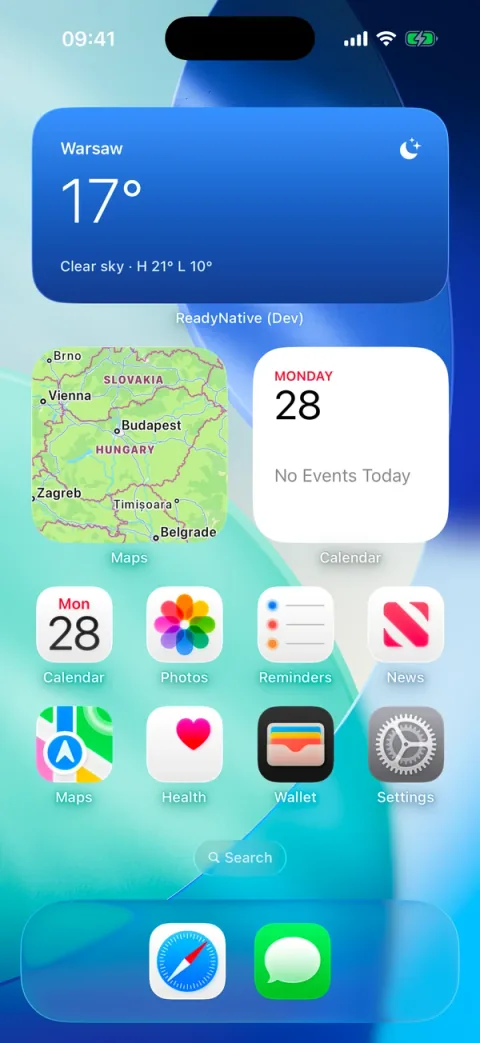
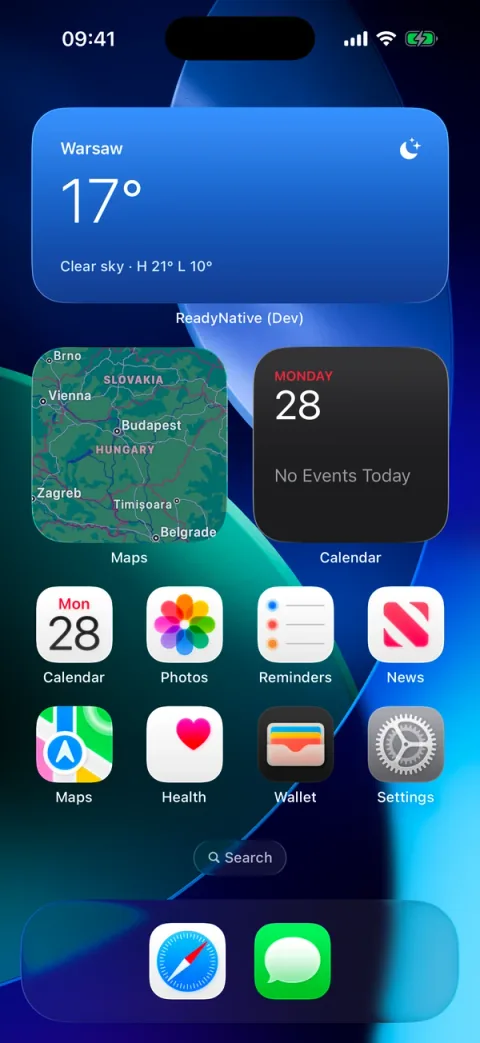
A home-screen widget is an iOS app extension: a second target in your build that shows one value on the Home Screen without opening the app. expo-widgets lets you write its layout in TypeScript with @expo/ui SwiftUI components, and feed it data from the app. This guide covers the iOS setup as Expo documents it for SDK 57, and the steps that make the widget appear.
What a widget target is, and why Expo Go cannot run it
The widget is a separate target in your iOS build, with its own bundle id: <your bundle id>.ExpoWidgetsTarget. Its code runs in an isolated runtime. Inside the function marked with the 'widget' directive you can use only @expo/ui/swift-ui components and their modifiers: no React hooks, no fetch, and no imports from the app. The widget never fetches data itself; it shows what the app last sent it.
Expo Go does not include expo-widgets, so the widget needs a development build. The difference between the two is covered in Expo Go vs a development build.
Add it with the config plugin
Install the package with the Expo CLI, the same way as any other Expo library:
npx expo install expo-widgetsDeclare the widget in the plugin's widgets array. Put the iOS options under ios, as Expo's SDK 57 docs show; the top-level form still works but is deprecated there:
// app.config.ts
plugins: [
  ["expo-widgets", {
    widgets: [{
      name: "AppWidget",
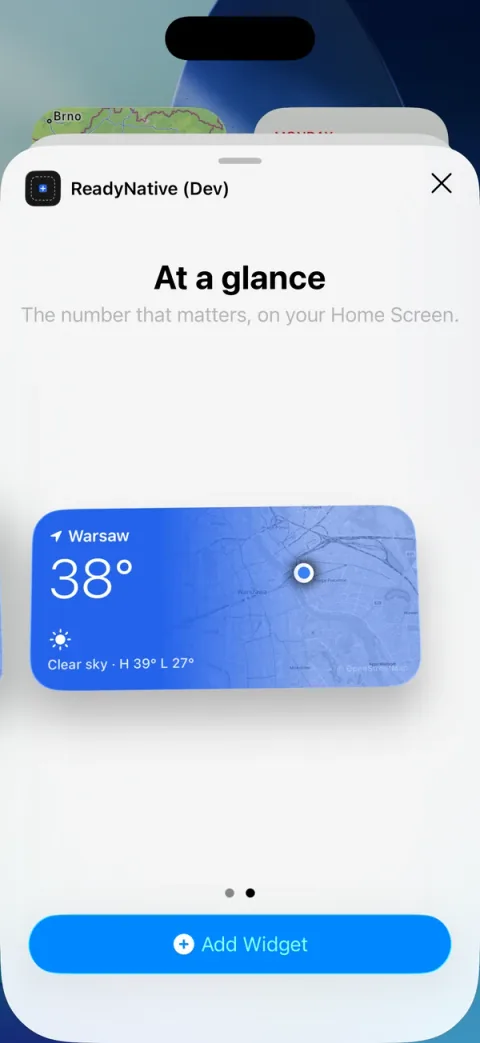
      displayName: "At a glance",
      description: "The number that matters, on your Home Screen.",
      ios: {
        supportedFamilies: ["systemSmall", "systemMedium"],
        contentMarginsDisabled: true,
      },
    }],
  }],
],
The name is the widget's identifier. It must be a valid Swift identifier (no spaces or dashes) and it must match the first argument of createWidget. The layout lives in its own file:
// src/widgets/app-widget.tsx
import { Text, VStack } from "@expo/ui/swift-ui";
import { font, foregroundStyle, padding } from "@expo/ui/swift-ui/modifiers";
import { createWidget, type WidgetEnvironment } from "expo-widgets";

const AppWidget = (props: { title: string; value: string }, environment: WidgetEnvironment) => {
  "widget";
  return (
    <VStack modifiers={[padding({ all: 16 })]}>
      <Text modifiers={[font({ weight: "semibold", size: 15 }), foregroundStyle("#FFFFFF")]}>
        {props.title}
      </Text>
      <Text modifiers={[font({ weight: "light", size: 42 }), foregroundStyle("#FFFFFF")]}>
        {props.value}
      </Text>
    </VStack>
  );
};

export default createWidget("AppWidget", AppWidget);
Then make a development build, since Expo Go cannot show the widget. With ReadyNative, bun run setup --widgets expo-widgets applies the module.
Share data between the app and the widget
The app and the widget share an App Group, group.<your bundle id>, which the plugin sets up. The app does not hand the widget a function or a state object. It pushes a snapshot of plain data, and the widget renders the last one it received:
import { widgets } from "@/lib/widgets";

widgets.update({
  title: "Almaty",
  value: "21°",
  subtitle: "Partly cloudy · H 24° L 12°",
  symbol: "cloud.sun.fill",
});
Call it after every refresh. A snapshot replaces the previous one entirely, so send every field each time. Images have to live in the shared folder: widgetsDirectory is a file:// URL for the App Group, and a bundled require() path means nothing to the widget. ReadyNative's widgets.map() writes its map tiles there.
Tap to open a route
Tapping a home-screen widget opens the app, as on any iOS widget. The SDK 57 documentation gives a home-screen widget no route argument, so this guide does not send a tap to a specific screen.
A Live Activity can carry one. The optional second argument of start(props, url) is a URL that iOS opens when the user taps the activity, and Expo Router's deep linking routes it to the right screen. ReadyNative's widgets.activity.start() takes only the content, so pass the URL to the factory in src/widgets/app-activity.tsx:
import AppActivity from "@/widgets/app-activity";

// In your app, import it lazily as src/lib/widgets.ts does: expo-widgets is not in Expo Go.
AppActivity.start(
  { title: "Almaty", value: "21°", subtitle: "Rain in 20 min", symbol: "cloud.rain.fill" },
  "readynative://weather"
);
Use your own scheme from the app config in place of readynative. The start function returns the activity, so keep the instance if you need to update or end it later.
Signing and provisioning the widget target
The widget target needs its own provisioning profile. The plugin registers the extension bundle id and the App Group with EAS, so the first EAS build asks to create the extra profile. Say yes:
bunx eas-cli build --profile developmentThe defaults are <app bundle identifier>.ExpoWidgetsTarget for the extension and group.<app bundle identifier> for the App Group. The plugin's bundleIdentifier and groupIdentifier options override them.
What about Android?
expo-widgets is iOS only in SDK 57: Expo's SDK 57 docs list the platform as iOS. Android widgets are documented for SDK 58, which is out now: see expo-widgets on Android. ReadyNative's widgets module is iOS only, so on Android widgets.supported is false and widgets.update() does nothing. There is no Android App Group or Android target to set up in this guide.
Checklist when the widget does not show up
- Is it a development or store build, not Expo Go? Expo Go has no expo-widgets.
- Did you add it from the Home Screen: long-press, Edit, Add Widget, your app, At a glance, small or medium?
- Has the app run once since install, so it pushed a first snapshot? An empty widget means widgets.update() has not run yet.
- Does the plugin name match the first argument of createWidget, with no dashes?
- Did the first EAS build create the extra provisioning profile for the widget bundle id?
- Does bun run doctor show every row for the widgets module as green? It checks for a development build.
- Are images read from widgetsDirectory? A bundled require() path does not reach the widget.
Read next: Expo push notifications: setup, token, testing, then the Expo Widgets module docs. The option is also on its ReadyNative stack page, with the choice against no widget.
FAQ
Does expo-widgets work on Android?
Not in SDK 57, which Expo documents as iOS only. Expo documents Android widgets for SDK 58. ReadyNative's widgets module is iOS only: widgets.supported is false on Android and widgets.update() does nothing there.
Can I test a home-screen widget in Expo Go?
No. Expo Go does not include expo-widgets, so the widget needs a development build. Make one with bunx eas-cli build --profile development, or npx expo run:ios on a Mac, then add the widget from the Home Screen.
Does a widget refresh itself?
Not by fetching. The widget never fetches; it shows the last snapshot your app pushed with updateSnapshot or widgets.update(). Call it after every refresh and send every field, because a new snapshot replaces the old one.
How long does a Live Activity stay on screen?
iOS ends an active Live Activity after 8 hours, or after 12 hours on the Lock Screen. Use one for something with an end, such as a delivery or a timer, and a home-screen widget for anything permanent.
Why does the widget gallery still show the old name?
The displayName and description come from the plugin entry, which is part of the build. Change them there and make a new development or store build; a JavaScript update does not change them.
More guides
- Unistyles 3 with Expo: a working setup
- Expo environment variables: which are public?
- TanStack Query in Expo: offline and refetch
- Expo zustand: persist a store across restarts
- jest-expo setup, Expo Router tests and fixes
- Expo auth: Clerk vs Supabase vs Better Auth
- AsyncStorage vs MMKV vs expo-sqlite/kv-store
- Expo i18n: i18next or Lingui, compared
- Expo android widgets: expo-widgets on SDK 58
- Tamagui in Expo: setup, styling and themes
- Best paywall tools for Expo in 2026
- RevenueCat subscriptions in an Expo Router app
- Supabase auth in Expo: email, Apple and Google
- Expo push notifications: setup, token, testing
- Expo Go vs development build: limitations
- The best Expo boilerplates, compared